
Anúncios
Measuring land areas has never been easier thanks to modern mobile technology and specialized apps designed for accuracy and convenience.


Anúncios
Whether you’re a farmer planning your crop distribution, a real estate professional evaluating properties, or a homeowner designing your garden layout, having a reliable tool to measure land areas is essential. Traditional methods involving tape measures and manual calculations are not only time-consuming but also prone to errors, especially when dealing with irregular shapes or large expanses of land.
Modern area measurement applications have revolutionized how we approach spatial calculations. These powerful tools leverage GPS technology, satellite imagery, and advanced algorithms to deliver precise measurements within seconds. They’ve become indispensable for professionals across various industries and everyday users who need quick, accurate area calculations on the go.
🌍 Why Digital Area Measurement Matters Today
Anúncios
The transition from traditional measuring methods to digital solutions represents a significant leap in efficiency and accuracy. In agriculture, for instance, knowing the exact size of your fields helps optimize seed distribution, fertilizer application, and irrigation planning. A difference of even a few square meters can impact your resource allocation and ultimately your yield.
Real estate professionals benefit tremendously from instant area calculations when evaluating properties. Instead of carrying measuring wheels or relying on potentially outdated property records, they can simply walk the perimeter with their smartphone and obtain accurate measurements immediately. This capability proves invaluable during property inspections, appraisals, and negotiations.
Construction managers and architects also rely on these applications for site assessments, material estimations, and project planning. The ability to measure areas remotely using satellite imagery means they can conduct preliminary assessments without physically visiting every location, saving time and resources during the planning phase.
📱 Key Features That Define Quality Measurement Apps
Not all area measurement applications are created equal. The best tools in this category share several essential characteristics that set them apart from basic alternatives. Understanding these features helps you choose the right application for your specific needs.
GPS-Based Perimeter Tracking
High-quality measurement apps utilize your device’s GPS capabilities to track your movement as you walk around the area you want to measure. This method works exceptionally well for large properties where manual measurement would be impractical. The app records waypoints as you move, creating a digital outline of the boundary.
The accuracy of GPS-based measurements depends on several factors, including satellite visibility, atmospheric conditions, and the quality of your device’s GPS receiver. Professional-grade apps often include error correction algorithms and allow you to fine-tune measurements by adjusting individual points manually.
Map-Based Measurement Tools
Many modern applications incorporate satellite imagery and map interfaces, allowing users to measure areas without physically visiting the location. This feature proves particularly useful for remote properties, preliminary planning, or when you need to compare multiple locations quickly.
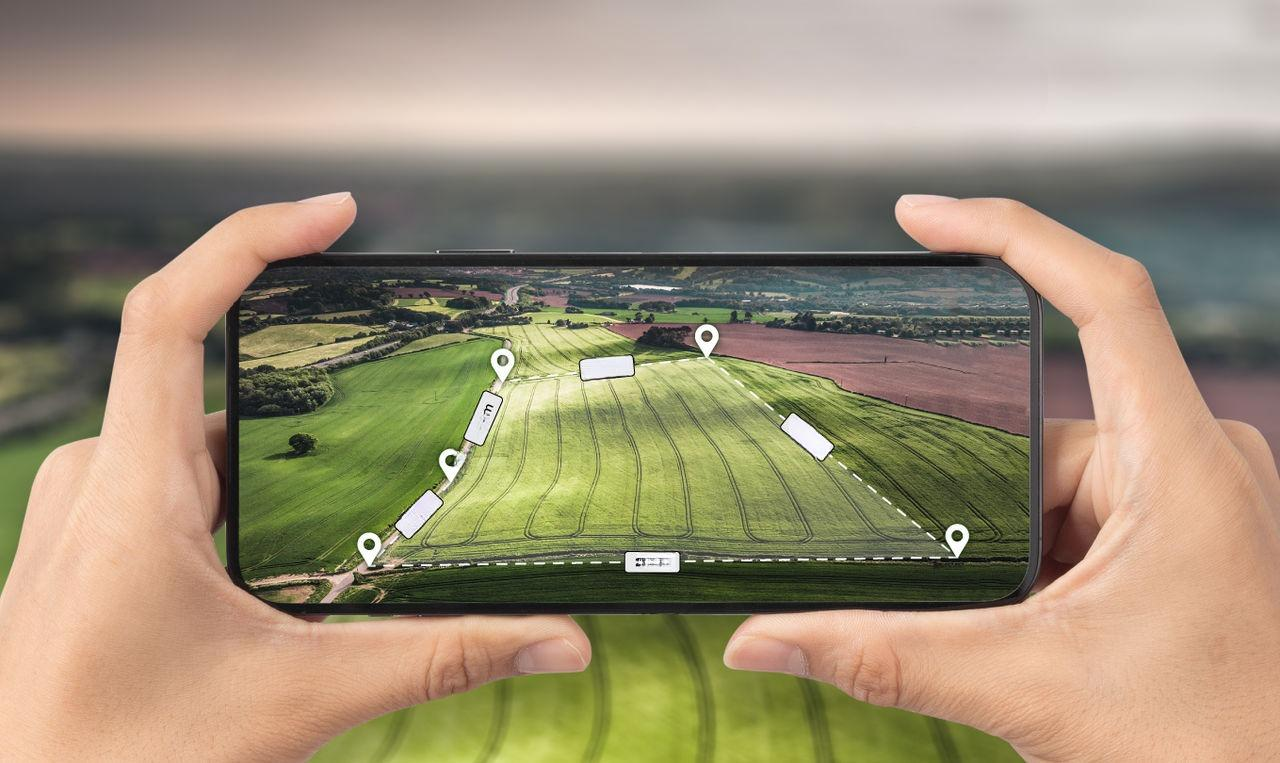
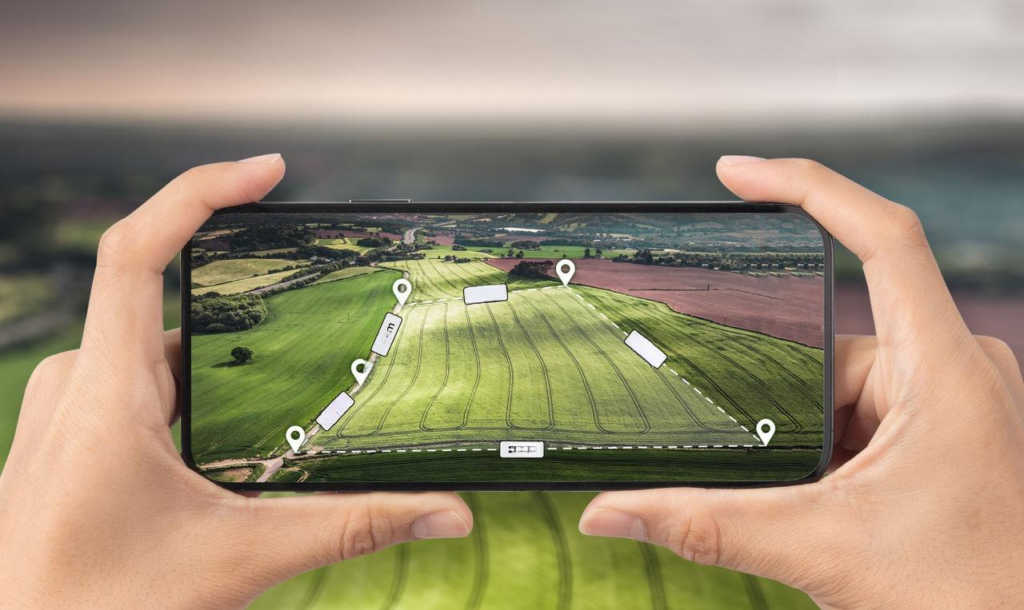
Users simply drop pins or trace boundaries directly on the map interface. The app calculates the enclosed area automatically, providing measurements in various units like square meters, acres, hectares, or square feet. This versatility ensures compatibility with different regional preferences and professional requirements.

Multiple Unit Conversions
Professional applications understand that different users work with different measurement systems. A farmer in the United States might prefer acres, while a European colleague works in hectares. Construction professionals often need square meters, while landscapers might use square feet.
The best apps handle these conversions seamlessly, displaying results in multiple units simultaneously or allowing quick switching between formats. This flexibility eliminates the need for manual conversions and reduces the risk of calculation errors.
🎯 Practical Applications Across Industries
Area measurement applications serve diverse professional sectors, each with unique requirements and use cases. Understanding how different industries leverage these tools provides insight into their versatility and value.
Agriculture and Farming Operations
Farmers use area measurement apps for comprehensive field management. Accurate field size data enables precise calculations for seed requirements, ensuring optimal planting density without waste. Similarly, fertilizer and pesticide applications become more efficient when farmers know exact coverage areas.
Crop rotation planning benefits from detailed field measurements, helping farmers track which crops were planted where and when. This historical data supports better soil management and long-term productivity planning. Additionally, when applying for agricultural subsidies or insurance, accurate field measurements provide the documentation required by regulatory agencies.
Real Estate and Property Development
Real estate agents and property developers utilize these applications throughout the buying, selling, and development process. During property listings, accurate lot size information builds trust with potential buyers and ensures compliance with advertising regulations.
Developers assessing potential sites can quickly evaluate available space for buildings, parking areas, and landscaping without conducting expensive preliminary surveys. This capability accelerates the decision-making process and helps identify promising opportunities faster than competitors relying on traditional methods.
Landscaping and Garden Design
Landscape architects and garden designers rely on accurate measurements to create realistic plans and accurate quotations. Knowing the precise area of a lawn helps calculate grass seed or sod requirements. Patio and deck measurements ensure correct material ordering for pavers, tiles, or decking boards.
For irrigation system installations, accurate area measurements determine appropriate sprinkler coverage and water volume requirements. This precision prevents over-irrigation, which wastes water and money, and under-irrigation, which compromises plant health.
Environmental Conservation and Forestry
Environmental scientists and forestry professionals use measurement apps to track habitat sizes, deforestation rates, and reforestation progress. These applications enable rapid field assessments without extensive equipment, making them ideal for remote locations with limited accessibility.
Wildlife management programs benefit from accurate territory measurements, helping researchers understand animal populations and migration patterns. Conservation organizations use these tools to document protected areas and monitor encroachment or unauthorized development.
🔧 How to Use Area Measurement Apps Effectively
Maximizing the accuracy and utility of area measurement applications requires understanding proper techniques and best practices. Whether you’re measuring physically by walking the perimeter or digitally using map tools, following these guidelines ensures reliable results.
GPS Walking Measurements
When measuring by walking the perimeter, start at a clearly identifiable point that you can return to precisely. Most apps indicate when you’ve closed the loop by bringing your current position close to the starting point. Walk at a steady, moderate pace, keeping your device at a consistent height and position.
For best GPS accuracy, conduct measurements in open areas with clear sky visibility. Buildings, dense tree coverage, and steep terrain can interfere with GPS signals, reducing accuracy. If your path includes such obstacles, consider supplementing GPS measurements with map-based corrections.
Take measurements during favorable weather conditions when possible. Heavy rain, snow, or dense fog can affect GPS signal quality. Early morning or late afternoon often provide optimal conditions, as atmospheric interference tends to be minimal during these periods.
Map-Based Measurements
When using satellite imagery for measurements, ensure you’re working with the most recent and highest resolution imagery available. Some apps allow you to switch between different map providers or image dates, which can be useful if recent construction or landscape changes haven’t been updated in one source.
Place boundary points carefully along the actual property lines rather than approximating the shape. Most apps allow you to zoom in significantly, enabling precise point placement. Take advantage of this capability, especially for irregularly shaped properties where accuracy at corners and curves matters most.
For large properties or complex shapes, break the measurement into smaller sections if needed. Measure each section separately, then add the results. This approach often yields more accurate results than trying to place numerous points in a single complex polygon.
📊 Understanding Measurement Accuracy and Limitations
While modern area measurement apps deliver impressive accuracy, understanding their limitations helps you interpret results correctly and know when professional surveying might be necessary.
GPS Accuracy Factors
Consumer-grade GPS receivers in smartphones typically achieve accuracy between 3 and 10 meters under optimal conditions. This precision suffices for many practical applications but may not meet requirements for legal property boundaries or construction projects requiring centimeter-level accuracy.
Several factors influence GPS accuracy beyond device quality. The number of visible satellites, their geometric distribution in the sky, atmospheric conditions, and local interference all play roles. Apps that display GPS accuracy information help you gauge the reliability of your measurements in real-time.
When Professional Surveying Remains Necessary
Despite the convenience and capability of measurement apps, certain situations demand professional land surveying. Legal property transactions, boundary disputes, construction permits, and subdivision applications typically require certified surveys conducted by licensed professionals using specialized equipment.
These professional surveys achieve sub-centimeter accuracy and include legal documentation that smartphone apps cannot provide. However, measurement apps serve excellently for preliminary assessments, planning purposes, and situations where general accuracy meets your needs.
💡 Choosing the Right Application for Your Needs
The ideal area measurement app depends on your specific requirements, frequency of use, and desired features. Evaluating applications against your particular use case ensures you select a tool that enhances rather than complicates your workflow.
Essential Features Checklist
Consider which measurement methods you’ll use most frequently. If you primarily need to measure properties you can physically visit, prioritize apps with excellent GPS tracking capabilities. For remote measurements or preliminary planning, strong map integration and satellite imagery access become more important.
Evaluate the unit conversion options. Ensure the app supports all measurement units relevant to your work. International users or those working with international clients particularly benefit from comprehensive unit support.
Data export and sharing capabilities matter if you need to incorporate measurements into reports, presentations, or other documentation. Look for apps that allow exporting measurements as images, PDFs, or coordinate data that integrates with professional software.
User Interface and Learning Curve
An intuitive interface reduces training time and minimizes measurement errors. Test the app’s core functions during any available trial period. Can you start a measurement quickly? Are buttons and controls logically organized? Does the app provide helpful guidance for first-time users?
Consider how the app handles measurement corrections. Can you easily adjust boundary points after completing a measurement? Does it allow deleting and re-adding points without starting over? These seemingly small features significantly impact practical usability.
🌟 Advanced Features in Modern Measurement Tools
As technology evolves, area measurement applications incorporate increasingly sophisticated capabilities that extend their utility beyond basic calculations.
Multiple Area Measurements and Comparisons
Professional users often need to measure multiple areas within a single project or compare different properties. Advanced apps allow saving multiple measurements, organizing them into projects, and viewing them simultaneously on a single map interface.
This capability proves invaluable when comparing potential properties, tracking multiple fields across a farm, or managing various zones within a large development project. Some apps even generate comparative reports showing size differences and other relevant statistics.
Elevation and Terrain Analysis
Some applications integrate topographic data, providing not just area measurements but also elevation profiles and terrain analysis. This information helps farmers understand drainage patterns, aids construction planning on sloped sites, and assists hikers in route planning.
Understanding elevation changes within a measured area impacts everything from irrigation design to building foundation requirements. Apps incorporating this data provide more comprehensive site analysis without requiring separate topographic surveys.
Historical Measurement Tracking
For users who measure the same areas repeatedly over time, historical tracking features provide valuable insights. Farmers can track how field boundaries change with erosion or expansion. Environmental researchers document habitat changes. Property owners monitor encroachment or unauthorized use.
These historical records often include timestamps, coordinates, and associated notes or photos, creating comprehensive documentation that supports research, legal requirements, or operational planning.
🚀 The Future of Area Measurement Technology
Emerging technologies promise to enhance area measurement capabilities further, making these tools even more accurate, versatile, and accessible.
Augmented Reality Integration
Augmented reality features beginning to appear in measurement apps overlay digital information directly onto your camera view. Point your device at a property, and see boundaries, dimensions, and area calculations displayed in real-time over the actual landscape.
This technology bridges the gap between map-based and physical measurements, helping users visualize boundaries and dimensions in context. It proves particularly useful for property buyers visualizing lot lines or designers planning installations within existing spaces.
Improved Satellite and Drone Imagery
As satellite imagery resolution continues improving and becomes more frequently updated, map-based measurements will achieve accuracy approaching ground-based methods. Some applications already integrate drone imagery, allowing users to upload high-resolution photos from their own drone flights for even more precise measurements.
This convergence of technologies makes professional-grade measurements accessible to more users at lower costs, democratizing capabilities that previously required expensive equipment and specialized training.
Artificial Intelligence and Machine Learning
AI integration promises to automate boundary detection, automatically identifying property lines, field edges, and other features from imagery. Machine learning algorithms could improve GPS accuracy by learning and compensating for local interference patterns and systematic errors.
These intelligent features will make measurement apps more accessible to casual users while providing professionals with tools that enhance rather than replace their expertise.
✅ Making the Most of Your Measurement App
Regardless of which application you choose, certain practices ensure you extract maximum value from the technology and maintain measurement accuracy over time.
Regularly verify your app’s calibration by measuring known distances or areas when possible. This practice helps you understand the typical accuracy range you can expect and identify when something might be affecting performance.
Keep your device’s GPS settings optimized. Enable high-accuracy mode when available, ensure location services remain active, and keep your device’s operating system updated. Software updates often include GPS performance improvements that directly benefit measurement accuracy.
Document your measurements thoroughly. Include photos of landmarks, notes about conditions during measurement, and any relevant observations. This context proves valuable when reviewing measurements later or explaining them to colleagues or clients.
Practice with your chosen app on properties with known dimensions before relying on it for important decisions. This familiarization builds confidence in the tool and helps you understand its particular strengths and quirks.
Consider weather and environmental conditions when planning measurements. While apps work in various conditions, optimal circumstances produce the most reliable results. When high accuracy matters most, choose measurement times accordingly.
Area measurement applications represent powerful tools that bring professional-grade capabilities to anyone with a smartphone. Whether you’re managing agricultural operations, evaluating real estate, designing landscapes, or pursuing any activity requiring accurate spatial measurements, these apps deliver convenience and precision that traditional methods cannot match. By understanding their capabilities, limitations, and best practices, you can leverage these tools effectively and make better-informed decisions in your professional and personal projects. The technology continues evolving, promising even greater capabilities in the future, but today’s applications already provide remarkable value for users across countless industries and applications.
